More desk space comes
with a different routine.
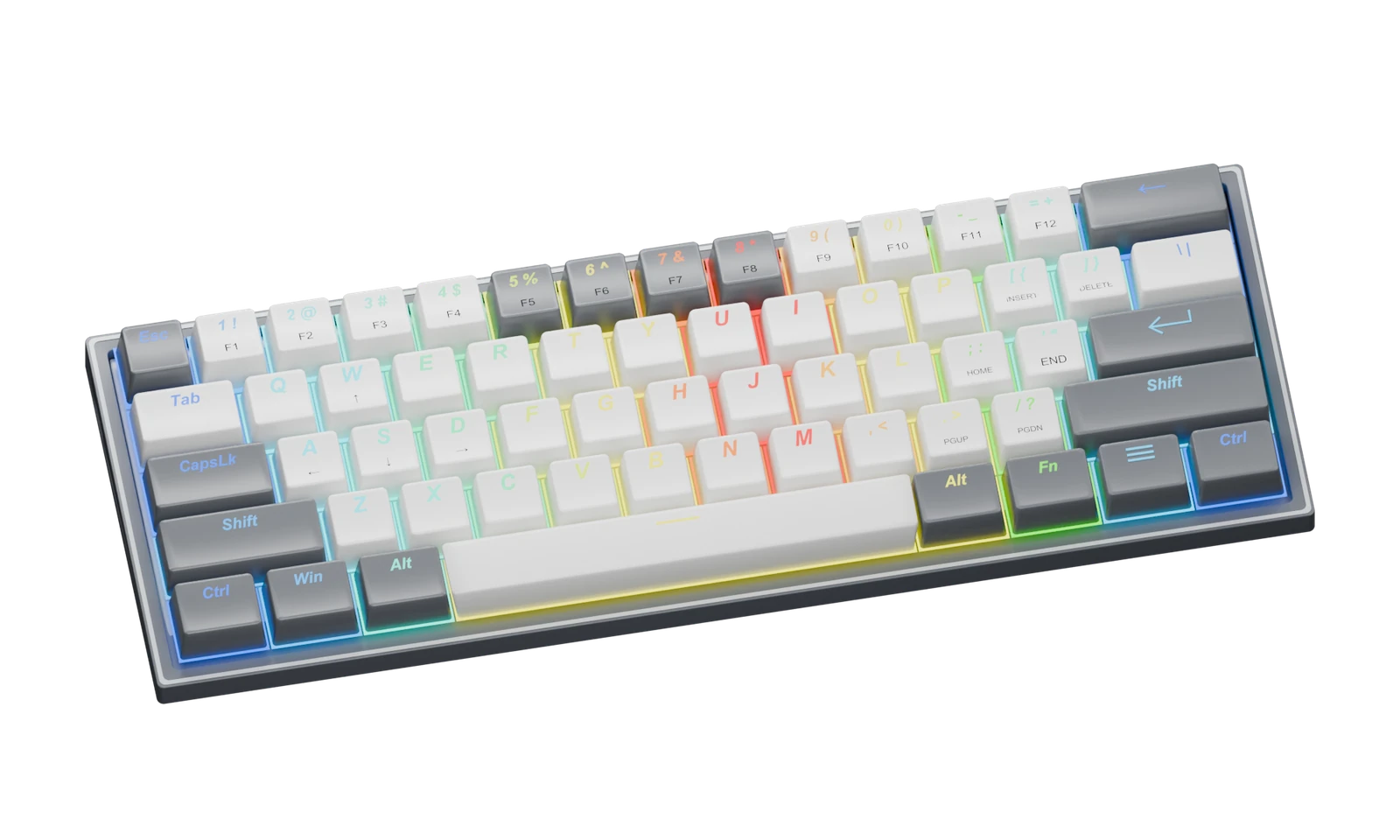
The mechanical FIZZ K617 uses a compact 61-key layout. Removing the dedicated arrow cluster and function row gives you a smaller footprint, but those commands move into shortcuts. Whether that feels freeing or frustrating depends on your work.
You want more mouse room, prefer a wired keyboard and are comfortable learning function-layer shortcuts.
You rely on dedicated arrows, a number pad or F-keys throughout the day. Frequent spreadsheet work is a reason to pause.
The layout is easy to verify from the official product page. Sound, switch feel, durability and your personal typing comfort are not things we can establish from a render. We have not tested those characteristics.
Check the official K617 page ↗“K617” needs a second look.
This guide’s visual reference is the white and grey, US-layout mechanical K617. The official store also lists other layouts, colors and a separate magnetic Hall Effect K617. Shared names do not make their switches, settings or appearance interchangeable.
| Before ordering | What to verify |
|---|---|
| Switch technology | Mechanical versus magnetic Hall Effect |
| Language / layout | The exact US, DE or ES option shown in the listing |
| Color | White and grey, rather than another colorway |
| Connection | The wired model and the supplied cable |
| Software | Download and compatibility for that exact product |
Do not assume that a switch, firmware file or feature advertised for one K617 version works with another. Use the selected listing and its support materials as the final reference.
COBRA M711:
start with shape and connection.
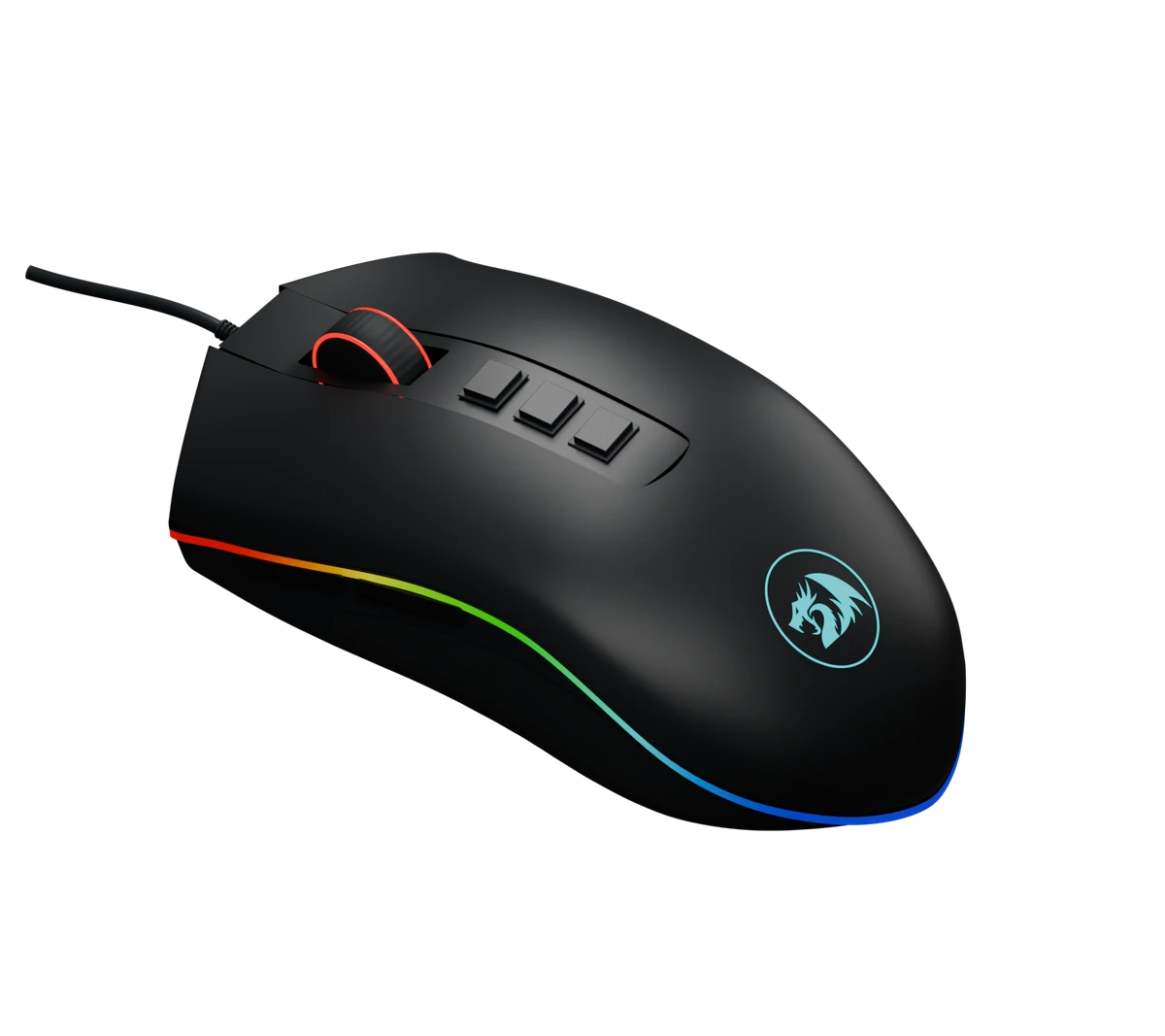
The official page for the standard wired M711 advertises seven programmable buttons and an adjustable sensor up to 10,000 DPI. Those are manufacturer specifications, not measured performance results from GearPerks.
You prefer a wired connection and want configurable controls in a sculpted mouse body.
You need wireless use, a specialized left-handed shape, or a dense MMO button grid.
The standard M711, M711-FPS and other variants should not be treated as the same specification. Check the exact suffix, sensor listing, supported software and merchant return terms. Hand fit and button feel still need your own evaluation.
Check the official M711 page ↗A code is a starting point.
Our Redragon partner code, GEARPERKS, is configured for a 10% buyer discount. Eligible products and stacking with other offers have not been checkout-tested. The merchant may run a promotion that gives you a better final price.
Check the total after discounts, shipping and taxes before buying. GearPerks does not process payment; checkout happens on the merchant’s site.
Try GEARPERKS at Redragon ↗What this guide is based on.
- Redragon FIZZ K617 mechanical, white & grey — layout, product options and official appearance references.
- Redragon COBRA M711 — advertised controls, standard-model specifications and version comparison.
- Redragon affiliate program — program entry. The partner-code configuration was provided from the affiliate account; it is not established by this public page.
Product pages checked 20 October 2026. We distinguish manufacturer claims from our own buying interpretation. We have not conducted hands-on tests, recorded user ratings or checked live stock. We do not publish an invented current price.
The devices shown here are independent 3D exterior studies. They help illustrate the layouts and visible controls. They are not official product photographs, a precision scan or proof of internal construction. Redragon’s trademark is used to identify the depicted product, without implying endorsement of GearPerks.
Affiliate disclosure.
GearPerks may earn a commission from qualifying purchases made through affiliate links or partner codes. A discount code does not guarantee the lowest available price. We explain who a product may not suit alongside reasons to consider it.
As an Amazon Associate I earn from qualifying purchases.
This guide does not contain Amazon product imagery or scraped prices. Purchases are completed by the merchant, not GearPerks.